
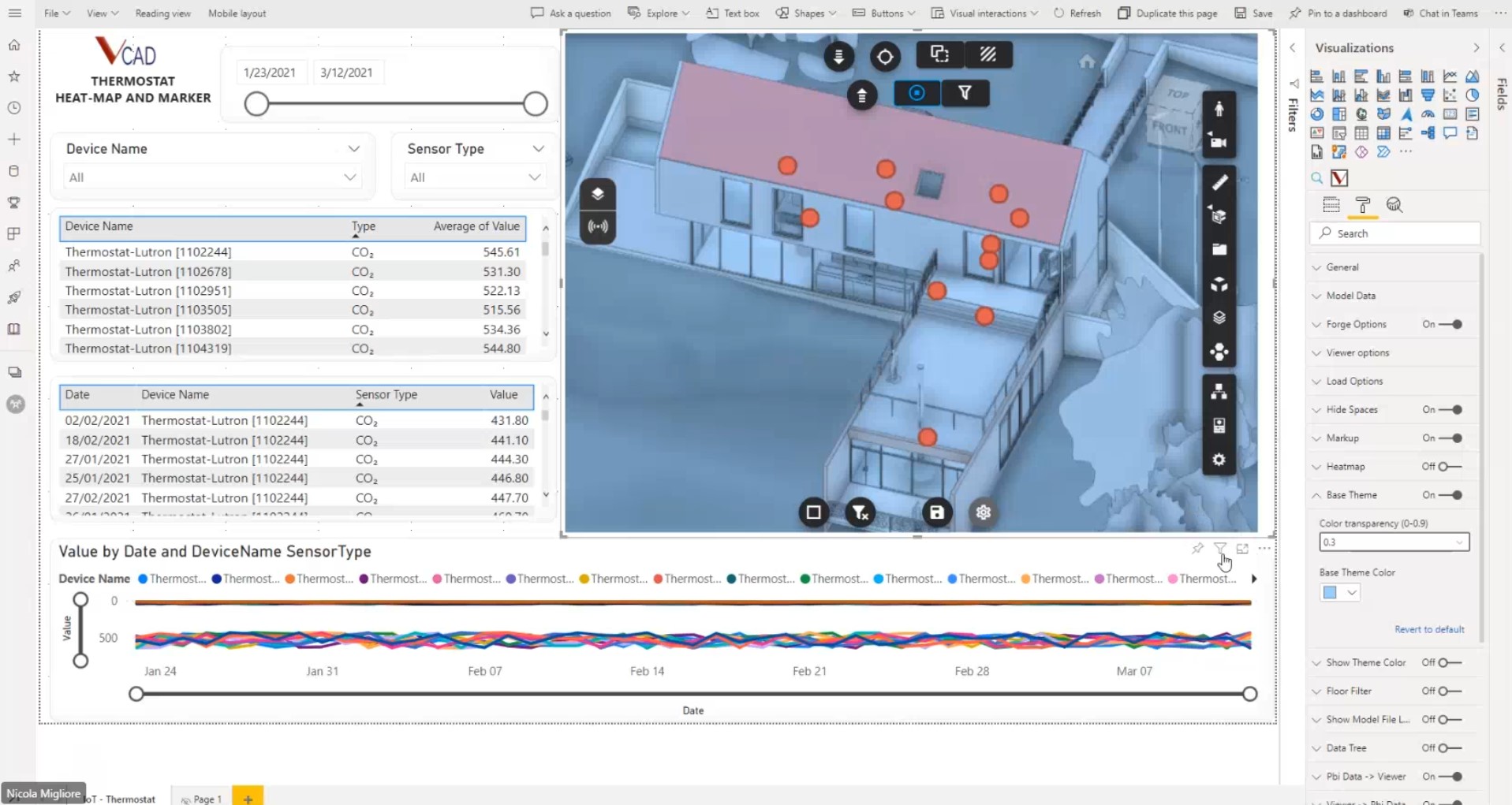
Changing the base theme color of your model

Posted by Admin

Autodesk, Bim, Custom visual, Microsoft, Navisworks, Power BI, Power BI BIM, Revit, Vcad

11 November 2021

The possibility of being able to change the base colour of all elements can be very useful in certain situations. For example, in the video at the end of the article we see how the use of markers could clash with the colouring of the model.

The “Basic theme” option of Vcad’s custom view allows you to choose the colouring and transparency to be applied to the entire model.
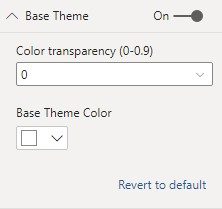
This feature, applied in combination with the colouring of the selected elements, can also make your selection stand out from the rest of the model.

You May Also Like…


Vcad transforms your model data into meaningful insights leveraging the power of Autodesk to analyze BIM in Power BI and Tableau

Certificazioni Blogic Autodesk AEC Gold Technology Partner Vcad Autodesk Platform Services Certified

COMPANY

Blogic s.r.l.
Via F. Mengotti, 15
00191 Rome, Italy
VAT: IT05731610720

Privacy Policy | Terms & Conditions – ©2026 | All Rights Reserved